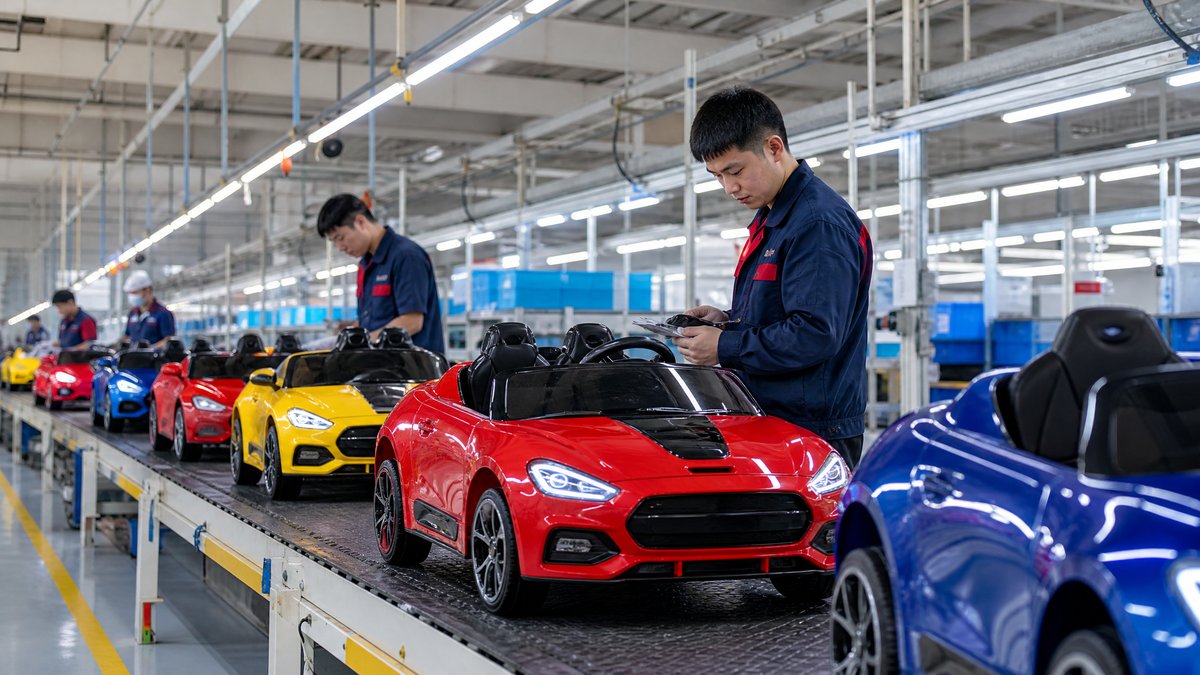
For wholesalers, a kids ride-on car dashboard is more than a styling detail. It is an interaction point that affects product appeal, perceived quality, ease of use, customer questions, and potential service cases. The right dashboard comparison should therefore look beyond the number of buttons or the appearance of a screen.
The practical answer: compare dashboard features by function, child accessibility, adult control, safety communication, durability, documentation, and total assortment value. Approve features only when the supplier can show how they work on the actual model, explain their limitations, and support them with consistent manuals, spare parts, and quality checks. A simple, clearly labeled dashboard can be a stronger wholesale choice than a crowded console with features that are difficult to use or maintain.
This guide is for overseas importers, distributors, retailers, and OEM buyers building a kids ride-on car range. It complements a broader [kids ride-on car product catalog](/blog/how-to-build-a-kids-electric-ride-on-car-product-catalog-for-b2b-buyers) and focuses specifically on how to compare dashboard specifications before sample approval and ordering.
Why the dashboard matters in wholesale buying
The dashboard appears in product photos, packaging, displays, and demonstrations. Buyers may judge whether it looks intuitive, premium, playful, or suitable for an age segment. Parents may also ask retailers how to start the car, select a speed, play audio, or read the battery indicator.
For a B2B buyer, the key questions are whether the dashboard is easy to demonstrate, understandable to the intended child, clear for adults, appropriate for the product tier, and repeatable across samples, production, and replacement parts.
Treat the dashboard as part of the complete product system, not as an isolated cosmetic component. The control layout should make sense alongside the steering wheel, foot pedal, parental remote, seat, power system, charger, and user instructions.
Build a dashboard comparison checklist
Before requesting quotations, create a comparison sheet with one row per model and the same fields for every supplier. Avoid accepting descriptions such as “multimedia dashboard” or “smart control” without asking what the words mean on that exact model.
Record the following information:
1. Visible controls: power, forward/reverse, speed selection, lights, horn, music, and other buttons.
2. Displays and indicators: battery status, charging status, operating mode, or other information shown to the user.
3. Audio and connectivity: speaker, music input, Bluetooth if offered, and the controls needed to operate each function.
4. Adult controls: whether the parental remote is separate, how it interacts with the child controls, and how the manual explains priority or handover.
5. Physical construction: button feel, labeling, housing, edge finish, and resistance to ordinary handling expected for the product.
6. Documentation: manual illustrations, warnings, charging instructions, troubleshooting guidance, and language options.
7. Service information: dashboard-related replacement parts, connector or harness identification supplied by the factory, and the process for reporting a fault.
8. Customization: logo placement, colors, icons, display language, and minimum order requirements for changes.
This format makes it easier to compare a basic model with a feature-rich model without confusing different equipment levels.
H2: Compare controls by user and purpose
Child-facing controls
Start by identifying which controls the child is expected to operate. Common examples include the power switch, forward/reverse selection, speed selection, horn, lights, and audio controls. The important comparison is not simply how many functions are present. Ask whether the symbols are understandable, whether controls are reachable from the seated position, and whether the operating sequence is explained in the manual.
A buyer may prefer large, distinct controls for a younger-child model and a more detailed console for an older-child product. Base the decision on intended use and the approved sample, not only a catalog photograph.
Adult-facing controls
Many ride-on cars use a parental remote rather than placing every supervisory function on the dashboard. Compare how the remote and dashboard work together. Ask the supplier to identify the available controls, explain how the adult starts or stops the vehicle, and provide operating instructions suitable for your market.
Do not describe a remote as a guarantee of safety. Product safety depends on supervision, the operating environment, the model’s instructions, and compliance work appropriate to the destination market. Your product copy should explain intended use without promising that any single feature prevents every incident.
Control clarity versus feature count
A dashboard with fewer functions can be easier to explain at retail and easier to support after sale. A dashboard with many buttons may look attractive in a listing but create questions if icons are unclear or if some controls vary by model. For each feature, ask:
- What customer benefit does it provide?
- Is it used frequently enough to justify its place on the console?
- Does it require a separate instruction in the manual?
- Is it standard on all units in the proposed SKU?
- What happens if the feature is unavailable or not connected on a specific configuration?
This keeps feature inflation out of a wholesale catalog.
H2: Review displays and indicators carefully
A battery indicator can help a user understand when charging may be needed, but buyers should confirm what the indicator communicates and how the manual describes it. Do not publish precise runtime claims unless they are supported by model-specific documentation and an appropriate test process. Usage conditions, load, surface, temperature, and battery configuration can affect real-world operation.
For any digital display, ask what it shows during normal operation, whether it is readable during a retail demonstration, whether the information matches the approved production specification, and what the manual says about an abnormal indication.
If a model has no display, that is not automatically a disadvantage. A simple indicator layout may reduce confusion and make the product easier to position in an entry-level range. The best choice depends on your target channel, price architecture, and customer expectations.
H2: Assess audio, lighting, and connectivity as a system
Music, horn, and lighting controls are often prominent dashboard selling points. Compare them as complete functions, including the button, wiring or connection supplied by the factory, speaker or lamp placement, and user instructions. Ask which accessories are included in the approved configuration and which are optional.
If Bluetooth or another audio input is offered, request the pairing and operating instructions before writing listing copy. A feature should be described accurately and in plain language; avoid implying that a connection works with every device or environment unless the supplier’s documentation supports that statement.
Lights can improve visual appeal and help a product stand out in photos, but do not frame them as a substitute for adult supervision or suitable visibility practices. The same applies to a horn or sound effect: it is a play feature, not a road-use warning system.
For assortment planning, group models by customer-facing dashboard experience:
- Essential console: power, direction, basic indication, and core driving controls.
- Play-focused console: essential controls plus horn, music, and selected lights.
- Premium or OEM console: a more distinctive layout, branded details, and documented connectivity or display options.
These are assortment categories, not claims that one tier is universally better.
H2: Check ergonomics, labeling, and physical finish
A dashboard should be evaluated from the seated user’s and adult’s viewpoints. During sample review, check legible labels, consistent icons, distinguishable controls, sharp edges, loose trim, panel alignment, and labels that remain understandable after assembly.
Ask the factory how the dashboard is protected during packing and whether the approved sample uses the same materials and decoration process planned for mass production. Photograph the approved layout and record the specification in the purchase documentation. If an OEM logo, color, or icon is added later, require an updated sample or documented approval process.
Do not make durability claims based only on a visual inspection. Instead, request the supplier’s quality-control method for buttons, labels, dashboard fit, and functional operation, and agree on how deviations will be recorded before shipment. This fits into a wider [pre-shipment quality inspection process](/blog/quality-inspection-for-kids-electric-ride-on-cars-a-buyers-guide-to-pre-shipment-checks-in-china).
H2: Compare safety communication without overclaiming
Safety-related dashboard information should be clear, model-specific, and consistent with the user manual. Check for instructions on startup, charging, supervision, suitable surfaces, water exposure, and storage where relevant to the product. The dashboard itself should not be presented as proof of regulatory compliance or as a replacement for destination-market review.
Keep your buyer checklist model-neutral: verify the actual controls, labels, warnings, and documentation for each SKU. Ask the supplier what safety information is supplied with the product and what language versions are available. For market entry, review applicable requirements with a qualified compliance professional or testing provider rather than relying on a dashboard feature as evidence.
Never instruct customers or dealers to bypass protections, rewire the dashboard, solder connections, open batteries, or perform internal repairs. Service materials should direct users to stop using the product when appropriate and contact the seller or qualified service support according to the manufacturer’s instructions.
H2: Include dashboard support in the landed-cost decision
The dashboard affects more than the quoted unit price. A feature-rich console may require additional documentation, model-specific spare parts, more detailed listing content, or more customer-service training. Ask suppliers to separate standard features from optional OEM changes and to identify any impact on packaging, manuals, labels, and after-sales support.
Your comparison can include:
- sample and approval costs;
- tooling or artwork charges for dashboard customization, if applicable;
- manuals, labels, and translated operating information;
- replacement dashboard or control components that may need stocking;
- inspection time for functional checks;
- product photography and demonstration requirements; and
- expected customer-service workload by model.
Do not assume the lowest dashboard cost produces the best margin. An intuitive console may reduce demonstrations and questions, while a complex, poorly documented console can create returns. Evaluate full channel economics.
H2: Questions to ask a ride-on car supplier
Send suppliers a consistent questionnaire for every proposed model:
1. Which dashboard controls are included in the exact SKU and voltage configuration quoted?
2. Which functions can the child operate, and which functions are controlled by the adult remote?
3. What do the icons and indicators mean, and where are those explanations shown in the manual?
4. Are audio, lighting, display, and connectivity features standard or optional?
5. Can the factory provide a labeled dashboard photograph or short operating demonstration for the approved sample?
6. How are dashboard functions checked during production and final inspection?
7. Which dashboard-related spare parts and service instructions are available?
8. What changes are possible for OEM orders, and what approval steps apply before production?
9. Will the dashboard, manual, packaging, and online specification use the same feature list?
10. How should a distributor document a dashboard issue after delivery?
Put approved answers and photos into the product file before issuing the purchase order.
Frequently Asked Questions
What is the most important dashboard feature for a wholesaler?
Clarity is usually the best starting point: controls should be identifiable, relevant to the intended user, and supported by accurate instructions. The most important configuration still depends on the model, target market, channel, and customer expectations.
Should wholesalers always choose a dashboard with more features?
No. More features can improve retail appeal, but they can also increase documentation, service, and quality-control requirements. Compare the benefit of each function against its complexity and confirm that it works consistently on the approved SKU.
How can a buyer verify that a dashboard specification is real?
Ask for the exact model configuration, inspect a physical sample or clear model-specific demonstration, compare it with the manual, and record the approved feature list in the purchase documents. Check the production units during quality inspection rather than relying only on a website image.
Is a parental remote control a substitute for dashboard safety review?
No. The remote is one part of the operating system. Buyers should still review dashboard controls, instructions, supervision guidance, and model-specific safety information, and should avoid absolute safety claims.
What should an OEM buyer customize first?
Start with changes that support brand recognition and clear product communication, such as approved colors, logo treatment, icon style, and manual language. Confirm feasibility, minimum order requirements, artwork approval, and production consistency before requesting more complex changes.
Conclusion: compare the experience, not just the console
The strongest dashboard comparison combines user experience with sourcing discipline. Review controls, indicators, audio and lighting, labeling, physical finish, documentation, safety communication, OEM feasibility, and after-sales support as one system. Then match it to your channel: retailers may value easy demonstration, distributors consistent service parts, and OEM buyers a distinctive but repeatable branded layout.
Use the approved sample as the reference point, keep every model’s feature list precise, and avoid unsupported performance or safety promises. For related planning, see the [kids ride-on car safety features checklist](/blog/kids-electric-ride-on-car-safety-features-checklist-what-every-wholesale-buyer-should-verify) and prepare a structured [inquiry](/inquiry) for your shortlisted configurations.
Ready to compare dashboard options for your next wholesale or OEM program? Contact KidsRideCar at info@kidsridecar.com with your target market, model requirements, dashboard priorities, and estimated order plan.
Official references
Explore these external resources for current regulatory and trade guidance. Confirm requirements with the relevant authority before placing an order.
Ready to Start?
Factory-Direct · CE & ASTM Certified · MOQ from 50 Units
Our export team works with buyers in 60+ countries. Get a quote within 24 hours.
KR
Written by KidsRideCar
China's leading kids electric ride-on car manufacturer. 500,000+ units shipped annually to 60+ countries. CE, ASTM & EN71 certified.