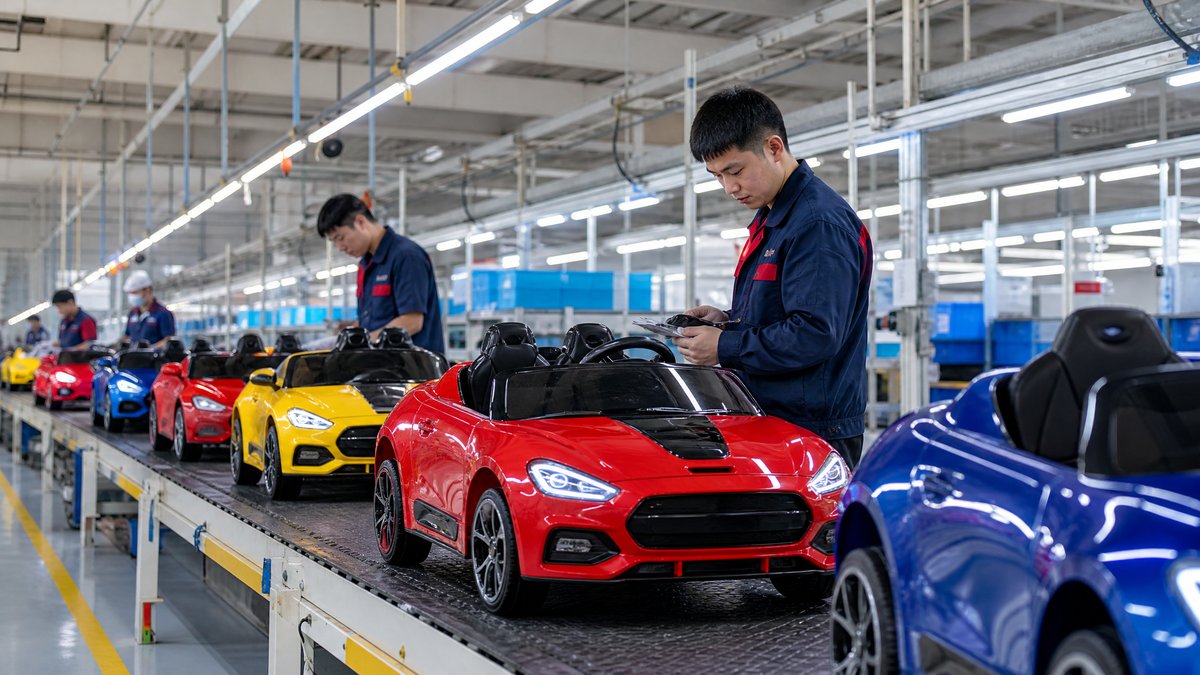
OEM teams should use a written, version-controlled workflow: approve the product configuration and photo brief, compare proofs with verified product data, record corrections by filename, and release only final files with stated usage rights. This avoids listing images that show the wrong color, accessory, charger, control layout, or claim.
For B2B buyers, photography approval is a procurement control, not simply a creative preference. Images must align with the approved sample, packaging, retailer content, and customer expectations. Assign one final owner to coordinate product, quality, brand, compliance, and sales input. Verify current destination-market requirements and sales-channel rules before publishing.
Begin With a Traceable Product and Clear Brief
Do not create saleable photography from a prototype that is still changing. The sample used for the shoot should have a model code, color or finish reference, and configuration list. If the production version will differ visibly, postpone the shoot or label the material as internal-only until the difference is resolved.
A practical brief turns “premium lifestyle photos” into defined deliverables. It should identify:
- The SKU, model code, color, and approved sample reference
- Included items, optional accessories, and props that are not included
- Required views: front, rear, both sides, cockpit, wheels, dashboard, key details, and packaging where applicable
- Intended channels, such as a wholesale catalog, retailer listing, marketplace, packaging, or dealer training
- Image dimensions, orientation, background, format, file naming, and delivery folders
- Approved logos, artwork, and any restrictions on licensed designs
- Verified feature wording and claims that may appear in captions or overlays
- Requirements for lifestyle scenes, including adult supervision where children are shown
The brief should make differences visible. If an accessory is optional, market-specific, or not supplied, do not allow the photo to imply that it is standard. When one model has different country configurations, create separate folders and captions rather than using a single ambiguous image set.
Establish a Cross-Functional Approval Gate
Attractive photos can still be unsuitable for a commercial offer if they misrepresent the SKU. A small approval gate prevents that without requiring every reviewer to direct the photographer.
Give each reviewer a defined role
The product manager or buyer-side product owner can coordinate the process. Quality personnel compare components and finish to the sample; brand reviewers assess visual consistency; and compliance contacts review safety wording, age references, warnings, and market concerns. Sales and e-commerce teams check channel usability, but should not approve claims solely because they are commercially appealing.
Name one final approver and set response deadlines. Contributors should send feedback to the coordinator, who consolidates one instruction set.
Distinguish blockers from preferences
Mark feedback as either an accuracy blocker or a creative preference. A wrong wheel type, missing seat belt, incorrect body color, unapproved decal, or unsupported claim is a blocker. A different crop, shadow, or prop is normally a preference. Resolve blockers first so essential changes do not disappear in aesthetic discussion.
Review Proofs Against the Actual Commercial Configuration
Use a shared proof page, PDF, or review platform with version control. Each comment should name the asset filename, issue, requested change, responsible party, and due date. For example: “KRC_BLUE_04: remove unapproved rear decal and resubmit.” This is easier to close than a general request to “fix the image.”
Verify the vehicle itself
Compare each angle with the approved sample and documented configuration. Check color, texture, decals, seat layout, wheels, lights, dashboard labels, controls, charger appearance, and accessories. Retouching for dust, lighting, or crop adjustment may be acceptable, but it should not create features, conceal material differences, or imply an unsupplied configuration.
For assembled images, ensure visible parts are installed as intended. Do not publish material that encourages battery modification, rewiring, bypassing safety features, disassembly, or unapproved repair. Photography cannot substitute for instructions or safety labeling.
Validate claims and lifestyle context
Every caption, icon, or text overlay should trace to an approved specification, manual, packaging text, or manufacturer confirmation. Do not infer runtime, speed, load capacity, certification status, or performance from a photograph. Avoid broad statements such as “safest,” “best,” “all-terrain,” or “fits every child” unless substantiated and appropriate for the target market.
Lifestyle scenes should portray intended, age-appropriate use and adult supervision where children are shown. For special-needs contexts, use cautious, inclusive wording: supervision remains important, and suitability or adaptations should be confirmed with the manufacturer and the child’s appropriate caregiver or professional. Never imply suitability for every child or use case.
> Approve a product photo only when its appearance, included contents, caption, and context match the commercial configuration being offered.
Control File Versions, Rights, and Final Delivery
Keep an asset register with filename, SKU, color, market, version, approval date, approver, permitted channels, source sample, and status. Statuses such as Draft, Proof, Approved for Listing, Superseded, and Retired help distributors avoid old content. If artwork or a component changes, mark affected images promptly.
The purchase order, content agreement, or statement of work should say who may use final images, raw files, edited derivatives, design files, and brand artwork. It should cover reseller or marketplace distribution, territories, and any limits for licensed designs. A supplier having access to a sample does not by itself establish marketing rights.
Request web-ready and high-resolution files, plus a contact sheet or asset list. Transparent-background cutouts should still show the approved configuration. Archive proofs, the change log, and the final release with the product record.
For an OEM image brief and approval register tailored to your next range, contact KidsRideCar’s B2B team.
Link Photography Approval to Launch Control
Photography approval should align with production timing, but it is not a substitute for production inspection. Confirm that the photographed sample represents the approved production standard. If a later change affects a visible part, assess its impact on every image, caption, and retailer asset.
Before sending content to channel partners, provide the approved hero image, angle set, feature copy, included-items statement, required notices, and an escalation contact. Give partners access only to approved assets; do not store drafts alongside released files.
FAQ
Who should provide final approval for ride-on car product photos?
One named product owner should release the final files after quality, brand, compliance, and channel reviewers have completed their checks. The title can vary, but one accountable owner makes the decision traceable and prevents contradictory approvals.
Should photography happen before or after a production sample is approved?
Saleable photography should follow approval of the visual production sample or equivalent confirmed configuration. Concept images may support internal planning, but keep them separate and clearly labeled so they are not published as final listing assets.
Can an OEM retouch a photo to make the product look more premium?
Routine color correction, cropping, and cleanup may be appropriate when they do not change the vehicle’s configuration or material impression. Do not add features, remove safety-related elements, substantially alter finish, or create unsupported performance implications.
How should optional accessories appear in B2B imagery?
Use separate files and captions that identify optional, non-included, or market-specific accessories. A buyer should be able to tell which items are supplied with the precise SKU, especially when assets will be reused by different retailers.
What if a visible component changes after photo approval?
Log the product change, review affected assets and claims, and replace or retire images before they support the changed configuration. Keep prior files in the archive, clearly marked as superseded, rather than leaving them available for reuse.
Conclusion
A disciplined photography-approval process protects brand presentation and sourcing accuracy. Start with a traceable configuration, define the brief, verify proofs against product data, record corrections at file level, and control versions and rights.
To discuss product-content requirements, asset delivery, or an OEM launch workflow, email info@kidsridecar.com.
Official references
Explore these external resources for current regulatory and trade guidance. Confirm requirements with the relevant authority before placing an order.
Ready to Start?
Factory-Direct · CE & ASTM Certified · MOQ from 50 Units
Our export team works with buyers in 60+ countries. Get a quote within 24 hours.
KR
Written by KidsRideCar
China's leading kids electric ride-on car manufacturer. 500,000+ units shipped annually to 60+ countries. CE, ASTM & EN71 certified.