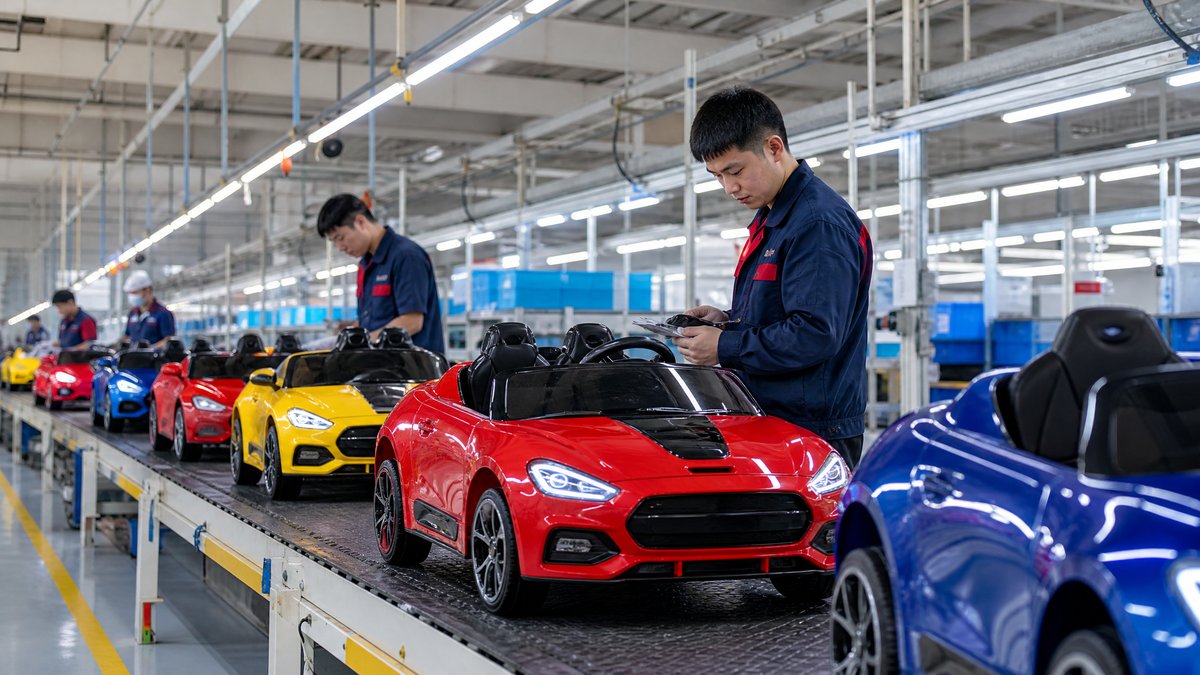
Retailers can improve kids ride-on car category navigation by organizing products around real buying questions, using consistent specifications, adding useful filters, and guiding shoppers from broad needs to suitable models. The best structure lets a visitor quickly answer: Who is the product for? Where will it be used? What format is suitable? Which features matter? What information is needed before purchase?
For overseas importers, wholesalers, distributors, retailers, and OEM buyers, navigation is more than a website design issue. A clear category structure also improves product data collection, sales-team training, dealer catalogs, internal linking, and customer service. It can reduce unsuitable purchases without making safety promises or relying on vague labels such as “best” or “premium.”
This guide explains how to build a practical navigation system for a kids ride-on car range while keeping model information, warnings, and procurement details consistent.
Why category navigation matters for kids ride-on cars
Kids ride-on cars are not a single, uniform product. A range may include single-seat and two-seat formats, different power systems, licensed and generic designs, indoor-oriented and outdoor-oriented models, and products intended for different age or size ranges. Shoppers may also arrive with different goals: a parent wants a gift, a retailer wants a balanced assortment, and a distributor needs comparable data for multiple sales channels.
If all models are placed in one long grid, buyers must inspect every product card to discover basic differences. This creates friction and may encourage customers to choose based on an image alone. In B2B purchasing, poor navigation also makes it harder to compare samples, create price tiers, prepare listings, and answer dealer questions.
A useful navigation system should therefore:
- Start with buyer intent rather than factory terminology.
- Use the same specification names across every model.
- Make important differences visible before a product page is opened.
- Support both quick browsing and detailed comparison.
- Separate factual product information from suitability guidance.
- Lead commercial buyers to inquiry, catalog, and sourcing resources.
Build the category around buyer questions
Before creating menus or filters, list the questions that buyers actually ask. A retailer’s category navigation can usually be organized around five decision groups.
1. Who will use the product?
Age guidance, product dimensions, seat configuration, and maximum user load are often important starting points. These details should be displayed as supplier-provided product information and checked against the applicable product documentation and market requirements. Avoid turning an age range into a guarantee of fit: children differ in height, ability, and supervision needs.
For B2B buyers, provide fields that can be transferred into a product data sheet. Do not hide these details in an image or use inconsistent wording between models.
2. Where will it be used?
A shopper may be considering a home, showroom, retail demonstration area, amusement venue, or another supervised setting. Navigation can offer use-context links such as “home play,” “retail demo candidates,” or “commercial-use review,” provided the labels do not imply suitability without verification.
Surface the manufacturer’s stated operating guidance and warnings. For example, a product page may explain that use should take place on an appropriate surface with adult supervision, while a retailer-facing page can direct buyers to confirm local requirements before listing or demonstrating a product.
3. What format is required?
Format-based paths help visitors distinguish single-seat from two-seat models, open-top from enclosed styling, or compact from larger body designs. These are straightforward product attributes and are usually more useful than promotional labels.
A distributor building a mixed assortment can use these paths to identify gaps without suggesting that one format is universally better.
4. Which technical features matter?
Useful technical filters may include battery voltage, drive configuration, remote-control availability, speed modes, lighting, sound, wheel type, and charging interface—only when each attribute is clearly documented for the specific model. A filter should never be added merely because it is common in the industry.
Keep the wording precise. “Remote control included” is different from “remote-ready.” “Two-seat” is different from “suitable for two children at once.” “Outdoor-oriented” is different from “safe in all outdoor conditions.” Clear terminology protects both conversion quality and customer expectations.
5. What does the buyer need to do next?
Retail shoppers may need a comparison page, delivery information, or a product detail page. B2B buyers may need a catalog, sample request, OEM discussion, or quotation. Build visible routes to the [Kids Ride-On Car product range](/products/kids-ride-on-cars), [OEM and private-label information](/blog/oem-kids-electric-ride-on-cars-customization-guide), and the [inquiry page](/inquiry).
Create a simple, scalable taxonomy
A practical taxonomy usually has one primary category and several secondary discovery routes. For example:
- Primary category: Kids Ride-On Cars
- Format: Single-seat, two-seat, compact, larger-body
- Power and control: 12V, 24V, remote control, selectable speed modes, where documented
- Design: Licensed-style, generic, SUV-style, sports-car-style, utility-style
- Use context: Home, retail demonstration, distributor assortment, OEM project
- Commercial route: Wholesale, private label, replacement parts, inquiry
Do not create a separate landing page for every possible combination. Too many near-identical pages can confuse users and create thin content. Start with routes that represent meaningful demand or a genuine procurement decision. Review search behavior, sales questions, and product availability before expanding the taxonomy.
Use one canonical product page for each model. If a model appears in several collections, those collection pages should point to the same product record rather than creating duplicate descriptions. This makes updates easier when a component, color, package, or documented specification changes.
Design filters that help rather than overwhelm
Filters should reduce the number of suitable choices, not reproduce the entire technical catalog. A retailer can prioritize filters in this order:
1. Format: seat count and general body type.
2. User guidance: documented age range or size information.
3. Power and control: voltage, drive, remote control, and speed modes.
4. Key features: lights, sound, Bluetooth, doors, or other documented features.
5. Commercial details: OEM availability, packaging options, or sample inquiry route.
Let users select more than one value where appropriate, make active filters easy to remove, and show result counts when supported. If a filter leaves no results, explain whether the issue is stock status, a narrow combination, or missing product data.
Separate consumer-facing and trade-facing information. Retailers may need dimensions, images, and usage notes, while importers also need carton data, packaging configuration, documentation status, and inquiry support.
Standardize product cards and comparison tables
Every product card should answer enough questions to justify opening the product page. Consider showing:
- Model name or model code
- Seat format
- Documented age or size guidance
- Dimensions and maximum load, where supplied
- Battery voltage and battery type, where documented
- Drive or motor configuration, without implying unverified performance
- Remote-control availability
- One or two distinctive features
- A clear action such as “View details” or “Request information”
A comparison table should use identical rows across models. If a specification is unavailable, write “Ask supplier” or “Not specified” rather than leaving an apparently blank field that may be interpreted as “no.” For OEM and wholesale work, include a downloadable or copyable data sheet so buyers can reuse approved information in dealer catalogs and listings.
Avoid sorting products by unsupported claims such as “safest,” “fastest,” or “longest runtime.” If a retailer uses labels such as “featured” or “popular,” explain the editorial basis internally and avoid presenting those labels as independent test results.
Make internal links part of the buyer journey
Category navigation works best when it connects related information. Link from a category page to educational resources that answer the next question, not to unrelated promotional content. Useful examples include:
- A battery filter linking to the [kids ride-on car battery guide](/blog/kids-electric-ride-on-car-battery-guide-lead-acid-vs-lithium).
- A wholesale route linking to the [kids ride-on car wholesale catalog guidance](/blog/build-kids-electric-ride-on-car-product-catalog-b2b-buyers).
- A safety-information link pointing to the [ride-on car safety checklist](/blog/kids-electric-ride-on-car-safety-features-checklist-wholesale-buyers).
- A sourcing route leading to the [kids electric ride-on car product collection](/products/kids-electric-ride-on-cars).
Use descriptive anchor text, and verify that links remain valid after a site restructure. On category pages, include breadcrumbs such as Home > Kids Ride-On Cars > Two-Seat Models. Breadcrumbs help users move back to a broader set without losing their place.
Add navigation for B2B procurement, not only retail browsing
A wholesale buyer often needs a different path from a parent shopping for one unit. Create a trade-facing navigation area or clearly labeled section with routes for:
- Product range and model comparison
- MOQ and mixed-model inquiry
- OEM or private-label discussion
- Packaging and documentation questions
- Samples and approval workflow
- Spare parts and after-sales planning
- Contact and quotation requests
Do not publish unconfirmed MOQ, price, lead-time, certification, or market-compliance claims. Instead, invite buyers to request current information for the selected model and destination market. A product page can include a structured inquiry button that passes the model code, desired quantity, market, and questions to the sales team.
For example, an importer comparing two models might submit: destination country, expected order quantity, seat format, packaging needs, and whether private labeling is required. This produces a more useful sales conversation than a generic “Please quote” message.
Keep safety guidance model-neutral and visible
Navigation should make safety information easy to find without presenting general advice as a legal conclusion. Include links to the user manual, warnings, charging instructions, supervision guidance, and applicable product documentation when available for the model.
Use careful language: follow the supplied instructions, use the correct charger, inspect the product before use, keep children supervised, and stop using a product if damage or abnormal operation is observed. Never advise customers to bypass protections, rewire a product, solder connections, open a battery, or perform internal repairs. Direct technical issues to the supplier, qualified service provider, or the instructions supplied with the product.
A navigation label such as “Safety and documentation” is often better than putting all safety content into a sales filter. Filters describe products; safety guidance explains responsible use and verification.
Example navigation structure for a retailer
A retailer could structure the category like this:
Kids Ride-On Cars
- Shop by seat format
- Single-seat models
- Two-seat models
- Shop by buyer need
- Compact options
- Feature-focused options
- OEM and private-label candidates
- Shop by control and power
- 12V models
- 24V models
- Remote-control models
- Compare products
- Safety and product information
- Wholesale and OEM inquiry
Each route should explain its selection logic briefly. A “24V models” page can state that the grouping is based on documented voltage and direct buyers to the complete model specification, usage instructions, and local requirements.
Audit navigation before launch
Before publishing a new category structure, test it with three audiences: a first-time shopper, a retail buyer, and an internal sales representative. Ask each person to complete practical tasks:
- Find a suitable two-seat model.
- Compare two products with different power specifications.
- Locate safety and charging information.
- Request a quotation for a mixed assortment.
- Find the correct product page from a blog article.
Record where users hesitate, which labels they misunderstand, and whether filters expose the expected results. Check mobile layouts, keyboard navigation, page speed, broken links, duplicate URLs, and empty filter states. Confirm that every visible specification matches the approved product data.
Review the category after launches, model revisions, and seasonal assortment changes. Navigation remains a maintained layer of product information after launch.
Frequently Asked Questions
What is the most important filter for a kids ride-on car category?
There is no universal first filter, but seat format, documented user guidance, and power or control configuration are often useful starting points. Prioritize the attributes that match customer questions and that are consistently available across the assortment.
Should retailers organize ride-on cars by age or by voltage?
Use both when the data is documented, but do not treat either one as a complete suitability decision. Age guidance describes the supplier’s stated range, while voltage describes one technical attribute. Product dimensions, maximum load, controls, supervision, and intended use also need review.
How many filters should a category page have?
Use enough to narrow a real decision without making the interface difficult to scan. Begin with a small set of high-value filters, measure search and inquiry behavior, and add more only when they represent a meaningful distinction supported by accurate product data.
How can B2B buyers use category navigation when sourcing a private-label model?
Use the category to shortlist models by format, documented specifications, and feature requirements, then send the model codes and target market to the supplier. Confirm packaging, artwork, documentation, sample approval, and production details separately before placing an order.
Conclusion
Better kids ride-on car category navigation combines clear taxonomy, consistent product data, useful filters, internal links, and a visible route to inquiry. For retailers and B2B buyers, the goal is not to overwhelm visitors with every specification. It is to help them move from a broad need to a well-informed shortlist while keeping safety guidance, documentation, and commercial details easy to find.
If you are building a kids ride-on car assortment, comparing models, or planning an OEM range, [contact KidsRideCar through the inquiry page](/inquiry) or email info@kidsridecar.com with your target market, product format, quantity, and documentation questions.
Official references
Explore these external resources for current regulatory and trade guidance. Confirm requirements with the relevant authority before placing an order.
Ready to Start?
Factory-Direct · CE & ASTM Certified · MOQ from 50 Units
Our export team works with buyers in 60+ countries. Get a quote within 24 hours.
KR
Written by KidsRideCar
China's leading kids electric ride-on car manufacturer. 500,000+ units shipped annually to 60+ countries. CE, ASTM & EN71 certified.