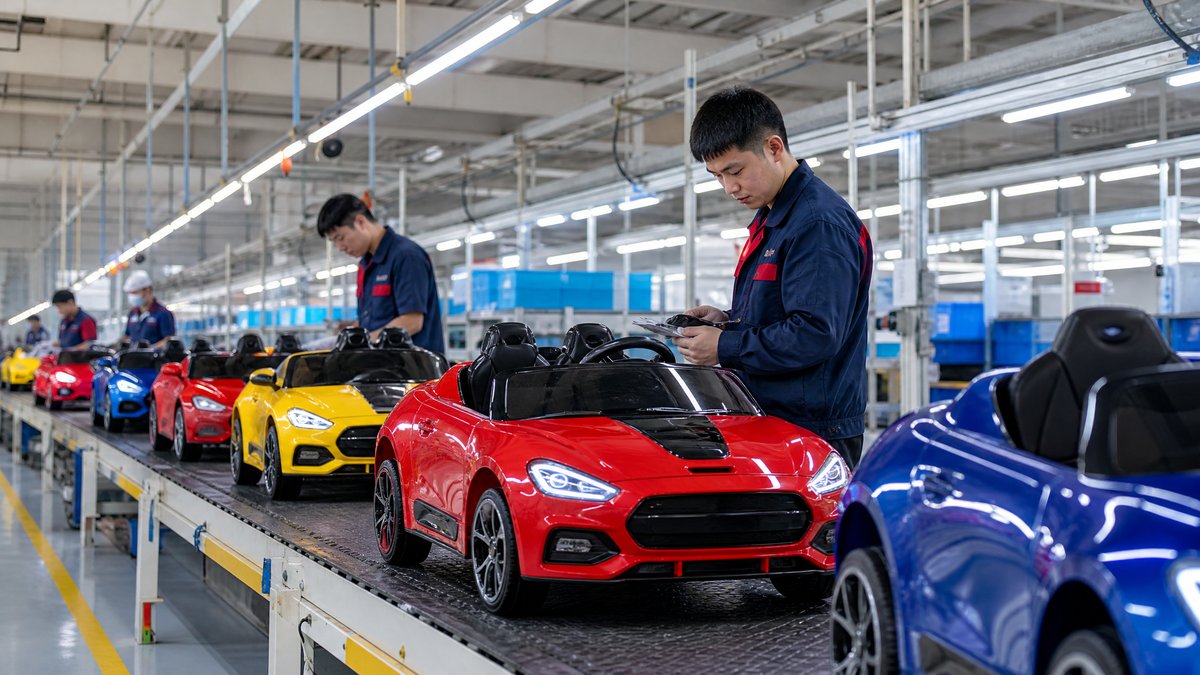
For a distributor, the right kids ride-on car display is not simply the largest area available. It is the space that presents a clear assortment, lets shoppers understand the products, supports safe interaction, and produces enough commercial value to justify its footprint. The evaluation should connect floor area with model selection, expected sell-through, replenishment effort, demo rules, carton handling, and the retailer’s customer journey.
A practical answer is to assess each proposed display against six questions: Will the shopper notice it, understand it, safely approach it, compare the right models, and can the store replenish it without disrupting the sales floor? Finally, does the expected contribution justify the space compared with another category? Record the answers in a shared plan before approving fixtures or sending display units.
This guide is for overseas importers, wholesalers, distributors, retailers, and OEM buyers planning a store, showroom, dealer corner, seasonal feature, or multi-location rollout. It does not assume a particular voltage, motor configuration, brand license, or market regulation. Product information and safety decisions should always be checked against the applicable model documentation and local requirements.
1. Start with the retail job the space must perform
A display can have several jobs. Identify the primary one before measuring space or ordering furniture:
- Range discovery: introduce a category to shoppers who have not yet decided what to buy.
- Comparison: show meaningful differences such as seating capacity, intended age guidance, control options, body styling, or finish.
- Demonstration: allow a controlled, supervised look at selected features without turning the whole area into an unsupervised play zone.
- Brand building: communicate an OEM or private-label identity through consistent colors, graphics, packaging, and product information.
- Lead generation: help a retailer collect inquiries for larger products that may be ordered for home delivery rather than taken from the store.
Three models may suit a compact dealer corner but not a destination showroom. Filling a small store with every color and variant can also make the range harder to understand. Define the job, customer, channel, and buying occasion first; then design the assortment.
For supplier planning, share a [product range brief](/inquiry) stating the store format, footprint, and display status.
2. Measure usable space, not just the allocated rectangle
A floor plan often overstates the space available for product. Separate the gross area from the usable display area. Gross area may include walls, columns, doors, emergency routes, checkout queues, and staff access. Usable area is what remains after those constraints are respected.
Record:
1. Width, depth, and clear height of the proposed zone.
2. Entry and exit points, including the direction in which customers approach.
3. Aisle and circulation requirements set by the retailer and applicable local rules.
4. Door, lift, and loading access for moving a large display unit or replacement carton.
5. Power availability, if any product feature or information screen requires it.
6. Wall, floor, and fixture restrictions, including whether drilling or adhesive graphics are permitted.
7. Back-stock distance, because replenishment from a remote warehouse changes labor and presentation quality.
Use the largest packed carton and assembled display unit in the planning conversation. A vehicle that fits on the sales floor may still be difficult to bring through the stockroom door. Approve a scaled plan and delivery route before committing to custom fixtures or tooling.
A worksheet can include gross area, excluded area, net usable area, positions, staff access, and back-stock location. This makes comparisons repeatable.
3. Match display density to the shopper’s decision
Display density means more than the number of cars per meter. It includes how many products a shopper can see, walk around, compare, and understand without visual overload.
A useful assortment normally contains roles rather than random variations:
- Entry model: communicates the category and an accessible starting point.
- Core model: represents the most broadly relevant configuration for the retailer’s customer base.
- Trade-up model: demonstrates additional value, such as a different seating arrangement, styling, or feature package where those differences are documented and meaningful.
- Specialist or seasonal model: serves a defined occasion, market segment, or campaign.
Do not assume every color needs its own floor position. Color cards, swatches, a digital catalog, or a shelf-level image may present options while preserving space. The retailer should still explain which visible unit corresponds to which SKU and what the customer receives.
For a mixed assortment, create a comparison card with model name, supplier-provided age or user guidance, dimensions, maximum load information where applicable, included accessories, control method, battery and charging information, and after-sales contact route. Keep claims tied to approved documentation. Link shoppers to a relevant [kids ride-on car product category](/products/kids-ride-on-cars) while keeping the card concise.
4. Evaluate sightlines and the customer journey
Large ride-on cars can become visual anchors, but an anchor works only if shoppers can see it from a natural approach. Walk the proposed route from the store entrance, adjacent toy aisles, promotional zones, and checkout. Note where the first product becomes visible, where a shopper can stop without blocking traffic, and where staff can answer questions.
The strongest location is not always the front. A front feature may attract attention but lack comparison room; a category aisle may support consideration but be harder to find. Evaluate each option using the same observations:
- Can a parent identify the category within a few seconds?
- Is the most important information readable from the normal stopping point?
- Can two adults stand beside a model without blocking other shoppers?
- Does the arrangement encourage a logical movement from entry to core to trade-up?
- Are small accessories, manuals, or price information visible without cluttering the product?
- Can staff demonstrate a control or feature without moving the unit into a public aisle?
Avoid creating a dead end, a blind corner, or an attractive display that conceals warnings and usage information. A clear customer path is part of responsible merchandising, not just an aesthetic choice.
5. Calculate space productivity without inventing performance data
Distributors should compare display alternatives using the retailer’s actual records or clearly labeled planning assumptions. Do not present estimated sales, conversion, margin, or payback as measured results unless they have been documented.
Useful measures include:
- Sales per display position: net sales attributable to the displayed SKU divided by the number of positions.
- Contribution per square meter: contribution after agreed product and channel costs divided by usable display area.
- Inquiry rate: qualified inquiries or quote requests generated by the area.
- Display-to-order rate: orders linked to display interactions, where the retailer can track them.
- Replenishment effort: staff time needed to refill, clean, rotate, and update the display.
- Inventory exposure: stock value tied to displayed and back-stock units.
- Return or complaint signals: tracked by SKU and channel, without assuming that the display caused them.
For a new store with no history, build a scenario table rather than a forecast presented as fact. Compare compact and larger layouts under the retailer’s low, base, and high assumptions. Show which inputs are assumptions, who owns them, and when the display will be reviewed.
A simple formula is:
`Display contribution per square meter = attributable contribution ÷ net usable display area`
Define “attributable contribution” with the retailer before using the result. It may include only directly tracked sales, or it may include qualified leads that convert later. Consistency matters more than false precision. Review the layout after an agreed period and replace weak positions based on evidence, not supplier enthusiasm.
6. Plan safe, controlled interaction
A display should help a shopper inspect a product without encouraging unsafe use. Keep model-specific instructions, warnings, age guidance, supervision information, and charging guidance available in the retailer’s language. Do not remove protective parts, defeat controls, or modify wiring to make a unit easier to demonstrate.
For a static display, confirm that the vehicle is stable, cannot roll into a customer path, and creates no trip or pinch hazard. Secure doors, loose accessories, remotes, and props according to supplier instructions. If demonstrations are allowed, define supervision, location, active controls, and reset procedure.
Keep charging and battery handling within the supplier’s written instructions. The retail team should not open batteries, solder components, rewire the vehicle, or perform internal repairs. A fault should be taken out of service and escalated through the retailer’s and supplier’s approved process. This model-neutral approach protects shoppers, staff, and the integrity of the product.
For more operational detail, connect the layout plan to the retailer’s [safe demonstration procedure](/blog/safe-kids-ride-on-car-demonstration-sop), but adapt it to the actual model and store environment.
7. Make replenishment and ownership part of the layout
A display fails commercially when it looks incomplete, gathers dust, or cannot be serviced quickly. Assign ownership for cleaning, price-card updates, product rotation, carton inspection, and escalation of damaged units. Decide whether the displayed unit is saleable, a demonstration sample, or reserved inventory. Record its serial or internal stock reference if the retailer uses one.
Ask before launch:
- Where will replacement display units be stored?
- Who checks that product cards match the current SKU revision?
- How will the retailer handle a missing remote, accessory, manual, or charger?
- How are damaged cartons kept away from customer-facing stock?
- How often will slow-moving models be reviewed or rotated?
- Who approves artwork, price changes, and model substitutions?
The supplier handover should include approved product images, dimensions, carton information, manuals, warnings, care guidance, spare-parts contact details, and the current revision of display artwork. Link the final store plan to a [retailer onboarding pack](/blog/kids-ride-on-car-retailer-onboarding-kit) so that every location receives the same operating information.
8. Compare display formats for different channels
A distributor should not copy one layout across every account. A specialty toy store may need comparison; a department store may prioritize a seasonal feature; a showroom may support walk-around viewing and lead capture; an e-commerce pickup point may need one sample and an online ordering path.
For multi-location rollouts, create a modular plan with a core position set and optional modules. The core may include one entry, one core, one trade-up, and a compact information panel. Optional modules can add a second-seat configuration, seasonal styling, or an OEM branding wall when space allows.
Before approving a rollout, pilot the plan in one representative store. Capture photographs of sightlines, customer stopping points, staff feedback, replenishment friction, and any safety concerns. Then update the layout guide. A pilot is not proof of future sales; it is a way to find operational problems before repeating them across a network.
9. Build a supplier-ready display brief
Send the manufacturer or OEM partner a brief that removes ambiguity. Include:
- store type, country, and target buyer;
- measured net display area and a simple plan view;
- maximum assembled and packed dimensions;
- number of positions and model roles;
- signage language and approved claims;
- display-only or saleable status;
- demonstration policy and supervision limits;
- power, fixture, and graphic requirements;
- delivery route and installation responsibilities;
- review date and measures.
Ask the supplier to confirm which dimensions, images, manuals, labels, and accessories are current. If the display requires custom branding, approve artwork and revision control before production. Do not promise a display feature, finish, license, or accessory until it is confirmed for the specific SKU and market.
Frequently Asked Questions
How much retail space should a distributor allocate to kids ride-on cars?
There is no universal square-meter answer. Allocate enough usable space for the chosen models to be visible, compared, safely approached, and serviced, then test whether the resulting contribution or qualified leads justify the footprint. Start with a modular pilot instead of committing every store to the largest possible display.
Should every ride-on car model have a separate floor display?
No. Give separate positions to models that represent a meaningful customer or commercial choice. Use approved comparison cards, color references, or a catalog for variants that do not need a full-size floor position. Ensure the retailer can clearly distinguish the displayed product from ordered alternatives.
Is a demonstration unit always necessary?
Not always. A demonstration unit is useful when shoppers need to understand scale, seating, controls, or finish, but it also requires supervision, maintenance, and a defined safety procedure. A static display with strong product information may be more appropriate for a compact store or a high-traffic aisle.
What should distributors measure after the display launches?
Track display position, usable area, attributed sales or inquiries, conversion where available, stock availability, staff time, customer questions, product damage, and returns or complaints by SKU. Compare actual observations with the assumptions used in the original layout decision and revise the assortment accordingly.
Conclusion
The best kids ride-on car retail display space is not the biggest or most decorated. It is a measured, safe, serviceable environment that helps the right customer compare the right assortment and gives the retailer a defensible commercial reason to keep the category on the floor. Evaluate usable space, sightlines, model roles, shopper flow, information quality, replenishment, and documented performance together.
For a distributor or OEM buyer, the next step is to turn those criteria into a store-specific plan. Share your footprint, target market, model range, and display objective with KidsRideCar through the [product inquiry page](/inquiry) or email info@kidsridecar.com. The supplier can then help align the display concept with the confirmed product data and approved operating guidance—without relying on unsupported claims.
Official references
Explore these external resources for current regulatory and trade guidance. Confirm requirements with the relevant authority before placing an order.
Ready to Start?
Factory-Direct · CE & ASTM Certified · MOQ from 50 Units
Our export team works with buyers in 60+ countries. Get a quote within 24 hours.
KR
Written by KidsRideCar
China's leading kids electric ride-on car manufacturer. 500,000+ units shipped annually to 60+ countries. CE, ASTM & EN71 certified.